{
  "@context": "https://schema.org",
  "@graph": [
    {
      "@type": "Article",
      "headline": "How to Set Up a Custom Email Address with Your Domain Name",
      "description": "A step-by-step guide to setting up a professional custom domain email address, covering provider options, MX records, SPF/DKIM, and a free Zoho Mail quick-start.",
      "url": "https://findmyurl.app/blog/how-to-set-up-custom-email-domain",
      "author": {
        "@type": "Organization",
        "name": "FindMyURL",
        "url": "https://findmyurl.app"
      },
      "publisher": {
        "@type": "Organization",
        "name": "FindMyURL",
        "url": "https://findmyurl.app"
      }
    },
    {
      "@type": "HowTo",
      "name": "How to Set Up a Custom Email Address with Your Domain Name",
      "description": "Set up a professional email address using your own domain name in five steps.",
      "totalTime": "PT15M",
      "step": [
        {
          "@type": "HowToStep",
          "position": 1,
          "name": "Register a domain name",
          "text": "Search for and register an available domain name through a domain registrar before you can attach email to it."
        },
        {
          "@type": "HowToStep",
          "position": 2,
          "name": "Choose an email hosting provider",
          "text": "Select an email hosting service such as Google Workspace, Microsoft 365, Zoho Mail, or Cloudflare Email Routing based on your budget and feature needs."
        },
        {
          "@type": "HowToStep",
          "position": 3,
          "name": "Update your domain's MX records",
          "text": "Log in to your domain registrar's DNS settings and replace the existing MX records with the ones provided by your chosen email host."
        },
        {
          "@type": "HowToStep",
          "position": 4,
          "name": "Verify your domain with the email provider",
          "text": "Add a TXT or CNAME verification record to your DNS so your email provider can confirm you own the domain."
        },
        {
          "@type": "HowToStep",
          "position": 5,
          "name": "Access your new inbox",
          "text": "Log in via your email provider's webmail, mobile app, or connect using IMAP/SMTP in any email client."
        }
      ]
    },
    {
      "@type": "FAQPage",
      "mainEntity": [
        {
          "@type": "Question",
          "name": "Can I get a free email address with my domain name?",
          "acceptedAnswer": {
            "@type": "Answer",
            "text": "Yes. Zoho Mail's free plan supports up to five users with 5 GB each on a custom domain. Cloudflare Email Routing is also free but only forwards email to an existing address rather than hosting a full mailbox."
          }
        },
        {
          "@type": "Question",
          "name": "How long does it take for a custom domain email to start working?",
          "acceptedAnswer": {
            "@type": "Answer",
            "text": "MX record changes can take anywhere from a few minutes to 48 hours to propagate globally, but most providers see the update within one to two hours. You can monitor propagation at MXToolbox."
          }
        },
        {
          "@type": "Question",
          "name": "What is an MX record and do I need to change it?",
          "acceptedAnswer": {
            "@type": "Answer",
            "text": "An MX (Mail Exchanger) record is a DNS entry that tells the internet which server should receive email for your domain. Yes, you must update it whenever you switch or set up an email hosting provider."
          }
        },
        {
          "@type": "Question",
          "name": "Is Google Workspace worth it for a small business?",
          "acceptedAnswer": {
            "@type": "Answer",
            "text": "For most small businesses, yes. At $6 per user per month (Starter plan), you get a custom domain inbox, 30 GB storage, Google Meet, Drive, and Docs. If budget is tight, start with Zoho Mail free and migrate later."
          }
        },
        {
          "@type": "Question",
          "name": "Can I use Gmail with my own domain name for free?",
          "acceptedAnswer": {
            "@type": "Answer",
            "text": "Not directly. Google removed free custom domain support from personal Gmail in 2012. To use Gmail's interface with your own domain today, you need a paid Google Workspace subscription starting at $6 per user per month."
          }
        }
      ]
    }
  ]
}
How to Set Up a Custom Email Address with Your Domain Name
Setting up a custom email address with your domain — like you@yourbusiness.com — takes about 15 minutes and costs as little as $0 using free options such as Zoho Mail. You need three things: a registered domain name, an email hosting service, and updated MX records in your DNS settings to route incoming mail through that service.
Why does a custom domain email address matter?
Using yourname@gmail.com for business works, but it signals that you haven't invested in your own online presence. A custom domain email address does three things that a free generic address cannot:
- Builds trust. Customers and partners treat
hello@acmeroofing.comas credible in a way thatacmeroofing2009@gmail.comsimply isn't. - Protects your brand. Your address stays the same regardless of which email hosting provider you use. Switch from Google Workspace to Zoho, and your customers never notice.
- Gives you control. You own the domain. No provider can delete or suspend your address and leave you locked out of years of business correspondence.
The single biggest upgrade most small businesses can make to their online credibility costs less per month than a cup of coffee.
Step 1: Do you have a domain name registered?
You cannot attach a custom email address to a domain you don't own. If you haven't registered one yet, that's the starting point.
Use FindMyURL to find an available domain. FindMyURL uses AI to generate domain name ideas and checks real-time availability across major domain registrars, so every suggestion you see is actually available to register right now — no dead ends.
Once you find the right name:
- Read our guide on how to buy a domain name for a step-by-step walkthrough of the registration process.
- Unsure about pricing? See how much does a domain name cost? for a full breakdown.
- Consider enabling domain name privacy so your personal contact details aren't publicly visible in WHOIS records.
With a domain registered, move on to choosing where to host your email.
Step 2: Which email hosting provider should you choose?
Four providers cover the vast majority of use cases. Here's how they compare:
| Provider | Price | Storage | Best for |
|---|---|---|---|
| Google Workspace | From $6/user/month | 30 GB (Starter) | Teams already using Google tools |
| Microsoft 365 Business Basic | From $6/user/month | 50 GB | Teams using Word, Excel, Teams |
| Zoho Mail | Free (up to 5 users) | 5 GB/user | Solo users and tiny teams on a budget |
| Cloudflare Email Routing | Free | No mailbox (forwarding only) | Developers forwarding to an existing inbox |
Google Workspace is the most popular choice for small businesses. The Starter plan gives you a familiar Gmail interface, Google Meet, Drive, and Docs — all under your own domain. The main drawback is cost at scale.
Microsoft 365 suits businesses already embedded in the Microsoft ecosystem. Outlook, Teams, and OneDrive are included. Pricing is comparable to Google Workspace.
Zoho Mail offers a genuinely capable free plan for up to five users with 5 GB of mailbox storage each. The interface is clean, and there's no advertising. It's the best zero-cost option for a real hosted mailbox.
Cloudflare Email Routing is free email forwarding, not a full mailbox. You create addresses like contact@yourdomain.com and all mail forwards to your personal Gmail or Outlook. Useful for catching emails on a side project without paying for hosting, but you reply from your personal address unless you configure SMTP manually.
Step 3: What are MX records, and how do you update them?
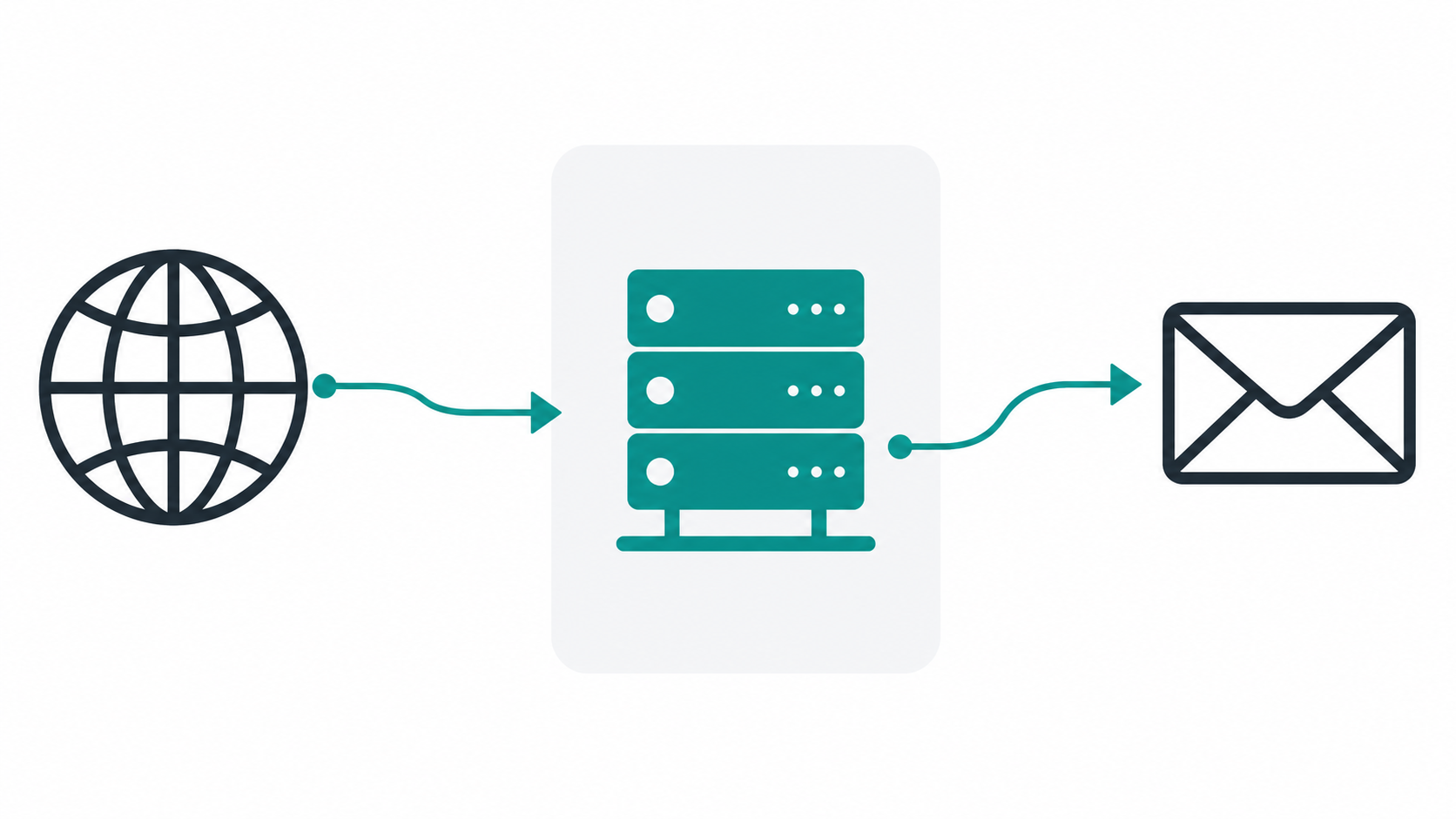
An MX record (Mail Exchanger record) is a line in your domain's DNS settings that tells the internet: "When someone sends an email to this domain, deliver it to this mail server."
Without the correct MX records pointing at your hosting provider, sent mail has nowhere to go.
How to update MX records — plain English version:
- Log in to the registrar where you bought your domain (GoDaddy, Namecheap, Cloudflare, etc.).
- Find the DNS settings or DNS management panel for your domain.
- Delete any existing MX records.
- Add the new MX records provided by your email host. They will look something like this (Google Workspace example):
| Type | Name | Value | Priority |
|---|---|---|---|
| MX | @ | ASPMX.L.GOOGLE.COM |
1 |
| MX | @ | ALT1.ASPMX.L.GOOGLE.COM |
5 |
| MX | @ | ALT2.ASPMX.L.GOOGLE.COM |
10 |
- Save the changes.
DNS changes propagate across the internet gradually — usually within one to two hours, but up to 48 hours in rare cases. You can monitor the process using MXToolbox's MX record checker.
Step 4: How do you verify your domain with your email provider?
Before your email host activates your account, it needs to confirm that you actually own the domain. This prevents someone from impersonating your business.
Verification typically involves adding one of the following to your DNS:
- TXT record: A string of text (e.g.,
google-site-verification=abc123xyz) your provider generates. You paste it into your DNS as a TXT record. - CNAME record: An alias record pointing to a provider-specific address.
Steps:
- Your email provider displays a verification record during setup.
- Copy that record.
- Go back to your domain registrar's DNS panel.
- Add the record exactly as shown — type (TXT or CNAME), name (@, or a subdomain), and value.
- Return to your provider's setup page and click Verify.
Verification usually succeeds within minutes of the DNS update being detected. If it fails, double-check that you copied the value without any extra spaces.
Step 5: How do you access your new inbox?
Once verified, you can access your custom email inbox in several ways:
- Webmail: Log in at your provider's web address (e.g.,
mail.zoho.comormail.google.comfor Workspace). - Mobile app: Add the account in your phone's native mail app or the provider's own app (Gmail, Outlook, Zoho Mail).
- Email client: Connect using IMAP (incoming) and SMTP (outgoing) credentials, which your provider will supply. Works with Apple Mail, Thunderbird, and any standard client.
Your email address is now live: yourname@yourdomain.com.
What are the most common mistakes people make?
Not setting up SPF and DKIM records
This is the single most damaging mistake. SPF (Sender Policy Framework) and DKIM (DomainKeys Identified Mail) are additional DNS records that tell receiving mail servers your emails are legitimate and not spoofed.
Skip them and your emails frequently land in spam — including customer replies and order confirmations.
- SPF record example:
v=spf1 include:_spf.google.com ~all - DKIM is a cryptographic key pair. Your email provider generates the public key; you add it as a TXT record in DNS.
Every major provider gives you these records during setup. Don't skip that step.
Using a different domain for email than for your website
If your website is acmeroofing.com but your email is yourname@acmeroofing.net, customers notice the mismatch and trust erodes. Always use the exact same domain.
Not adding a DMARC record
DMARC builds on SPF and DKIM to tell receiving servers what to do with unauthenticated mail. A basic DMARC record — v=DMARC1; p=none; rua=mailto:you@yourdomain.com — starts in monitoring mode and catches deliverability problems early.
What is the quickest free route for a complete beginner?
If you have a domain and want email running today at no cost, use Zoho Mail's free plan. Here's the exact sequence:
- Go to zoho.com/mail and click Get Started on the Forever Free plan.
- Enter your domain name when prompted. Zoho will ask you to verify it.
- Add the verification TXT record Zoho provides into your domain registrar's DNS panel. Click Verify in Zoho once it's added.
- Update your MX records. Zoho provides three records. Delete your old ones and add theirs.
- Add SPF and DKIM records from Zoho's setup wizard. This step is mandatory — don't skip it.
- Create your email address (e.g.,
hello@yourdomain.com) inside Zoho's admin panel. - Log in at mail.zoho.com with your new credentials.
Total time: 15 minutes, assuming DNS propagates quickly. Total cost: $0 (plus whatever you paid for the domain).
Frequently Asked Questions
Can I get a free email address with my domain name?
Yes. Zoho Mail's free plan supports up to five users with 5 GB each on a custom domain. Cloudflare Email Routing is also free but only forwards email to an existing address rather than hosting a full mailbox.
How long does it take for a custom domain email to start working?
MX record changes can take anywhere from a few minutes to 48 hours to propagate globally, but most providers see the update within one to two hours. Monitor propagation at MXToolbox.
What is an MX record and do I need to change it?
An MX (Mail Exchanger) record is a DNS entry that tells the internet which server should receive email for your domain. Yes — you must update it whenever you set up or switch email hosting providers.
Is Google Workspace worth it for a small business?
For most small businesses, yes. At $6 per user per month (Starter plan), you get a custom domain inbox, 30 GB storage, Google Meet, Drive, and Docs. If budget is tight, start with Zoho Mail free and migrate later.
Can I use Gmail with my own domain name for free?
Not directly. Google removed free custom domain support from personal Gmail in 2012. To use Gmail's interface with your own domain today, you need a paid Google Workspace subscription starting at $6 per user per month.